AI assistant and MCP server
Simulation in the page or via daedalus serve stays on the machine; ✦ Assistant sends the text it reads and the numbers it asks for to OpenRouter, and to the provider of the selected model (see Workbench).
Diokle exposes its compiler to AI assistants as tools: browse the libraries, read and
write classes, check, simulate, linearize, and read the structure report and the
performance profile. In the workbench that is the ✦ Assistant; on the command line
it is daedalus mcp, a Model Context Protocol server for Claude Code and other clients. The Model
Context Protocol (MCP) is a standard way for AI tools to call tools such as these, so an assistant can
act on your models rather than only describe them.
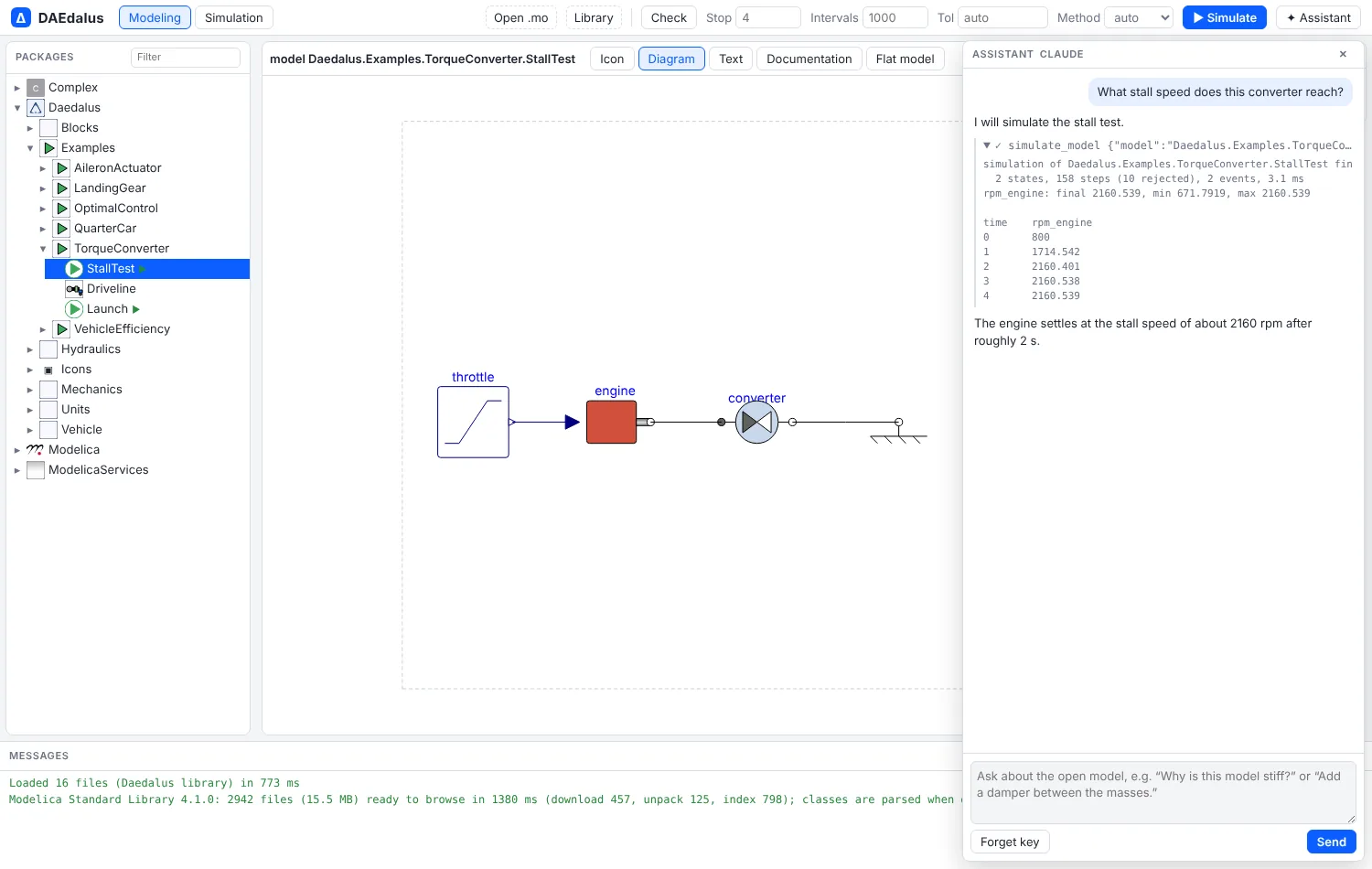
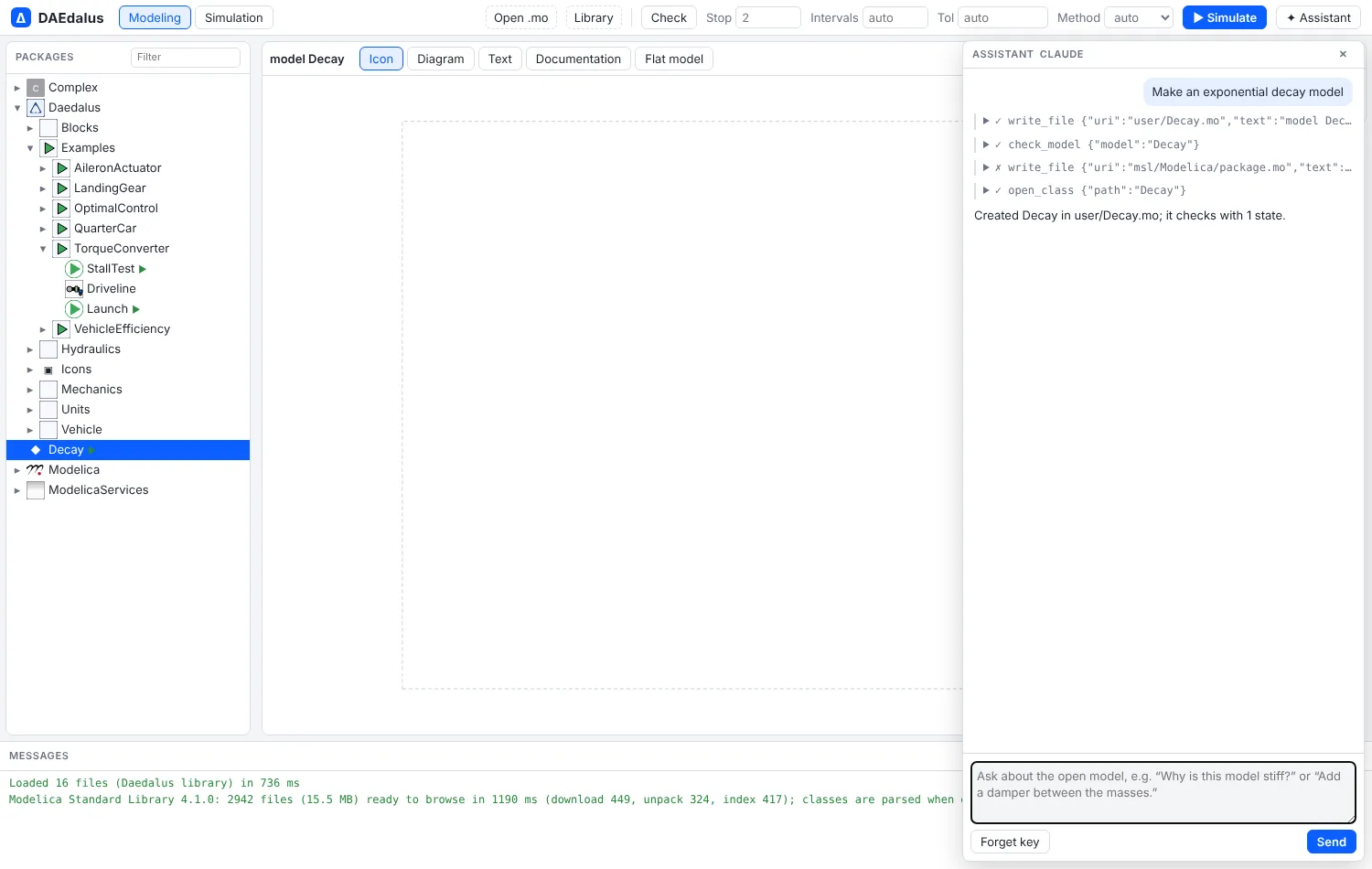
user/Decay.mo, checks it and opens it.In the workbench
✦ Assistant in the toolbar opens a chat about the open model, using your OpenRouter
key. The model control defaults to Claude Haiku 5.5 (anthropic/claude-haiku-5.5) and
also lists the GPT-6 Luna models (openai/gpt-6-luna, openai/gpt-6-luna-pro, and their
batch variants). It can:
- browse the package tree and read any class's source;
- read the documentation shipped with the workbench (the same pages as this site), not only the class that is open;
- write models to
user/*.mofiles (library files stay read-only) and check them; - simulate, with the result filling the variable browser as if you had pressed Simulate;
- read the structure report and the performance profile to explain why a model is stiff, slow or chattering;
- open classes in the editor;
- set simulation parameter overrides, write a component modifier, plot result variables, and run linear analysis in the Linear view.
It uses your own OpenRouter API key, which stays in that browser; requests go straight
from the page to OpenRouter, and Forget key removes it. Other workbench features add
their own tools with registerAssistantTool in web/src/assistant.ts.
MCP server
daedalus mcp serves the loaded libraries over stdio (newline-delimited JSON-RPC). Its
tools are list_classes, get_class, set_source, check_model, simulate_model,
linearize_model, model_structure, profile_simulation, equations,
flatten_model, physics_check, autotune_controller and generate_embedded_c. physics_check is a
preflight an assistant runs after building or editing a model: parameters with no value,
masses, inertias, resistances and other physical parameters with an impossible sign,
states that start from a guessed 0, unstable modes at the start, and a short run that
catches blow-ups and negative absolute temperatures or pressures.
generate_embedded_c returns the embedded C code of a controller. With --workspace DIR, set_source also writes the file to that
directory, and the .mo files already there are loaded at start.
# add Diokle to Claude Code
claude mcp add daedalus -- /path/to/daedalus mcp /path/to/library/Daedalus --workspace ./models
Then ask in Claude Code, for example, "simulate the landing gear at the three sink rates and tell me which one exceeds 3 g", and it calls the tools above.